Stone Wall 199: A Versatile 3D Asset for Creative Projects
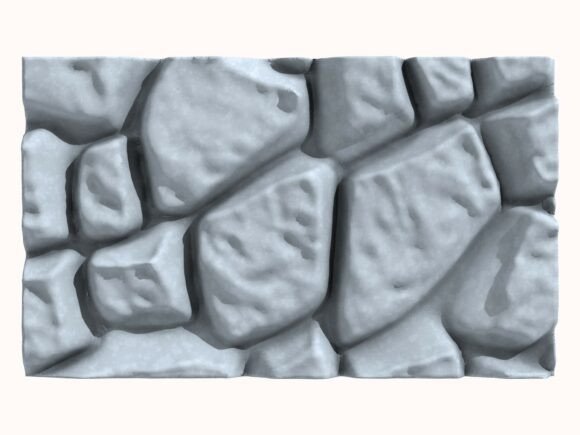
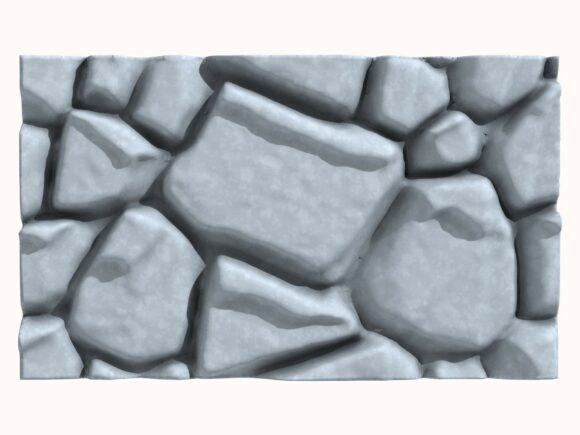
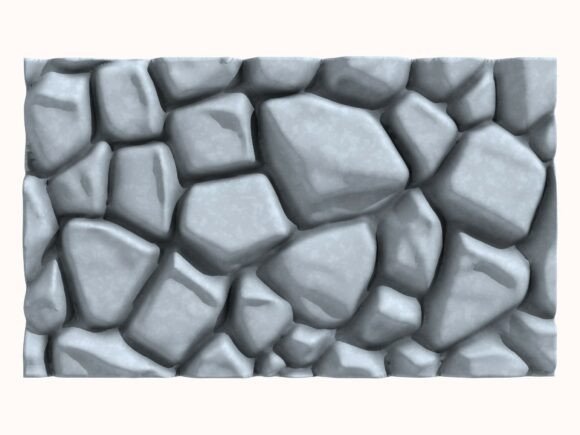
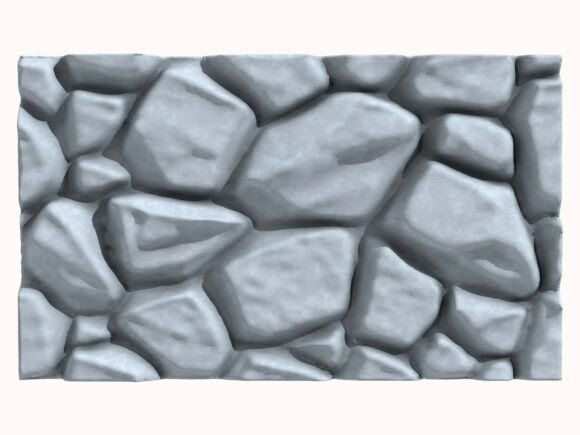
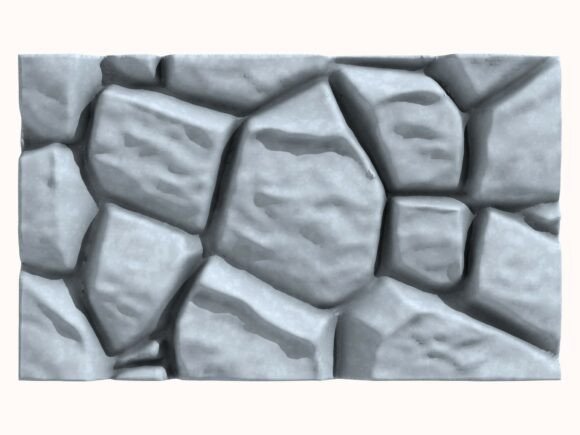
In the world of digital creation, foundational assets like a well-crafted stone wall are more than just scenery; they are a launchpad for imagination. Stone Wall 199 is precisely that—a meticulously handmade high-quality 3D stone wall model built for utility and aesthetic flexibility. This model isn't a generic placeholder. Its 38019 points and polygons represent a deliberate design choice, offering a level of detail that holds up under close scrutiny, whether in a cinematic fly-through or a static architectural render.
What makes it particularly interesting is its origin. This model was handmade in Cinema 4D, fully designed and built without using any AI tools. This means every irregular stone, every subtle texture variation, is the result of manual modeling and authentic creative work. This human touch translates into a model with organic inconsistencies and a natural feel that algorithms often struggle to replicate, providing a base that feels inherently real and textured.
Unlocking Creative Possibilities Across Industries
The utility of Stone Wall 199 lies in its wide format support—including C4D, STL, OBJ, FBX, ABC, and DAE—and its dual nature as both a visual and physical asset. This opens a spectrum of applications that cater to diverse professional and hobbyist needs.
For architectural visualization specialists, this model serves as a high-fidelity backdrop. It can be integrated into site plans for rustic estates, used as a boundary wall in urban infill projects, or provide historical context for renovation visualizations. The accompanying 6 high-quality JPEG render images at 2000x2000px and 300 DPI are not just previews; they are practical tools. Designers can use these detailed renders directly in mood boards, client presentations, or even as temporary placeholder art during early-stage project development, ensuring the visual narrative remains consistent from concept to final render.
Game developers and environment artists will find the model’s polygon count and format flexibility crucial. It can be imported directly into engines as a detailed environment piece for RPGs or adventure games, or optimized and tessellated to become a repeating asset in a larger dungeon or fortress layout. The model’s handmade quality ensures it doesn’t fall into the "cookie-cutter" asset look, helping create unique, memorable spaces that enhance player immersion.
A Tangible Outcome: The 3D Printing Pathway
Perhaps the most distinct application lies in the inclusion of the STL file. This transforms Stone Wall 199 from a purely digital asset into a physical one. Hobbyists and tabletop game enthusiasts can 3D print sections to create intricate terrain for wargaming or dioramas. Educators might print it as a tactile artifact for history or architecture lessons, discussing construction techniques and materials. Entrepreneurs in the bespoke decor space could use it as a base model to create customized wall sculptures or relief art, adapting the digital file to suit specific dimensions or artistic styles before printing.
This cross-medium capability—from screen to tangible object—encourages creators to think beyond their primary field. A marketer crafting a fantasy-themed ad campaign could use the digital model in animations and also print a miniature version as a unique promotional giveaway, creating a cohesive brand experience across digital and physical touchpoints.
Adapting the Asset to Your Specific Audience and Goals
The key to maximizing an asset like Stone Wall 199 is adaptation. Its neutral, realistic style is a strength, acting as a canvas for your creative direction.
Freelancers and small business owners can leverage this adaptability for cost-effective quality. A blogger focusing on medieval history can drop the model into a simple scene to generate custom header images for their posts, avoiding generic stock photos. A publisher producing a fantasy ebook can use the renders for cover art design elements, ensuring a unique visual that isn’t widely available on stock sites. The approach is to treat the model as a core component, then build your unique context around it—adding weathering textures in Photoshop, surrounding it with your custom foliage models in Blender, or combining multiple printed sections into a larger landscape.
For projects targeting a professional audience, such as architectural clients, maintain clarity and effectiveness by using the model realistically. Scale it accurately, pair it with complementary natural materials like wood or gravel in your scene, and ensure the lighting highlights its detailed geometry. The goal is to make it feel like an integral, believable part of the proposed environment. Conversely, for a game targeting a younger audience, you might adapt it by applying brighter, more stylized color maps or exaggerating certain features to make it more fantastical and engaging.
Keeping results original doesn't always mean altering the model itself. Originality often stems from how you integrate it. Combine Stone Wall 199 with other assets in unexpected ways: use it as a broken, overgrown wall in a post-apocalyptic scene, or as a clean, minimalist bas-relief in a modern art installation visualization. Your unique narrative or project vision, applied to this high-quality base, generates the distinct final product.
Practical Recommendations for Implementation
Start by examining the provided renders. They showcase the model from different angles, giving you an immediate understanding of its silhouette and detail distribution. Use them to plan your camera angles or printing orientation.
When importing into your software, take advantage of the multiple formats. If you’re working in a real-time engine like Unity, the FBX file might be your best starting point. For detailed cinematic rendering in Cinema 4D or Blender, the native C4D or OBJ formats will preserve the geometry information effectively. For 3D printing, the STL is your go-to, but remember to check the scale in your slicing software; the digital unit scale may need adjustment for your printer’s requirements.
Organization is crucial, especially for complex projects. If you are using multiple sections of the wall, create a clear naming convention in your scene (e.g., "StoneWall199_Section_A," "StoneWall199_Arch"). This prevents clutter and streamlines iterative adjustments. Consistency in lighting and texture scale across all instances of the model in your scene will make the final output feel cohesive and professional.
Ultimately, Stone Wall 199 is a tool crafted to save you foundational modeling time while providing a robust, artistically credible starting point. Its value is realized not when it’s used as-is in every project, but when it’s thoughtfully adapted, integrated, and built upon to serve your specific creative goal—whether that’s to convince a client, immerse a player, educate a student, or inspire an audience. By focusing on the context you create around it, you turn a versatile 3D asset into a unique piece of your creative signature.